Drive
Road guidance with speed, limits, ETA, lanes and alerts.
Even Hub app for G2
Navigaze draws turn-by-turn guidance, your live speed, the posted limit, ETA and road alerts onto the lens of your Even G2, designed for quick glances.
Requires Even G2 glasses · No account · No ads
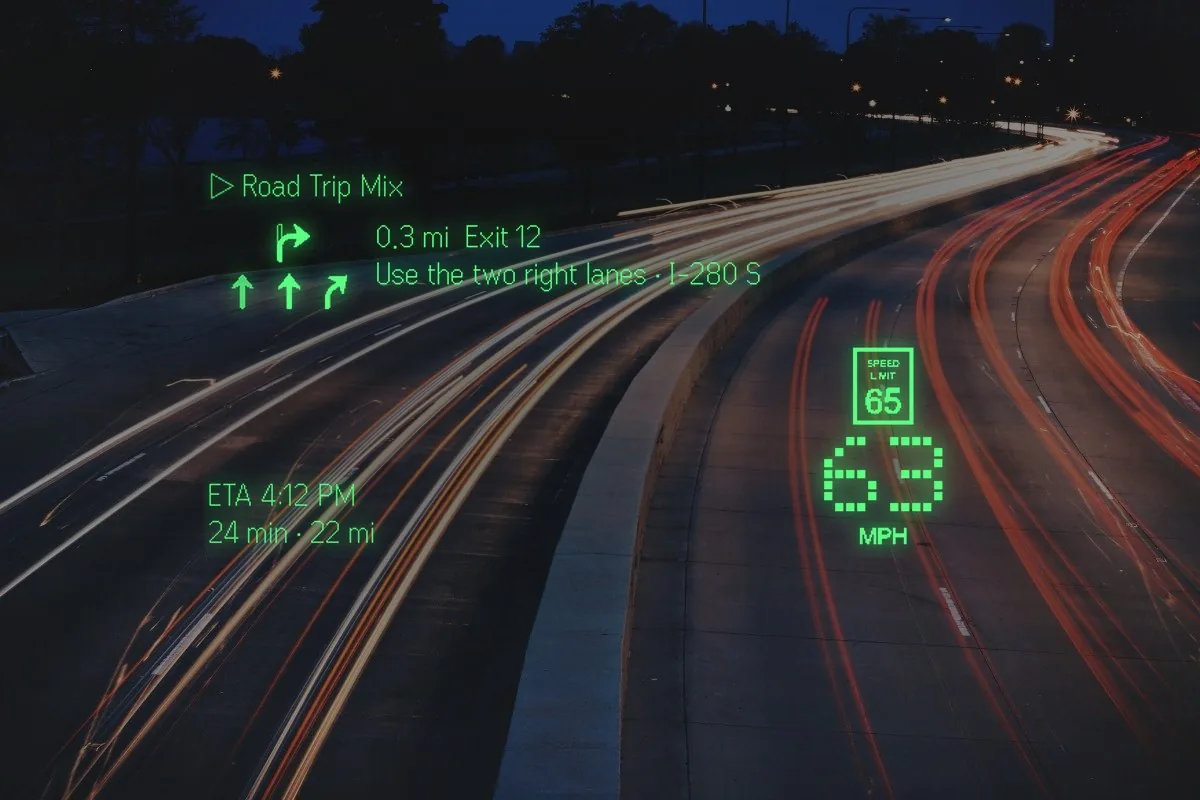
A night highway. Exit 12 in three tenths of a mile, the two right lanes, the posted 65 beside your own 63. Everything hugs the edges; the road stays in the middle.
The lens
Every layout hugs the edges, so the middle of the lens stays empty — you are looking at the road through it. Guidance sits where your eye already goes, and nothing moves that does not have to.
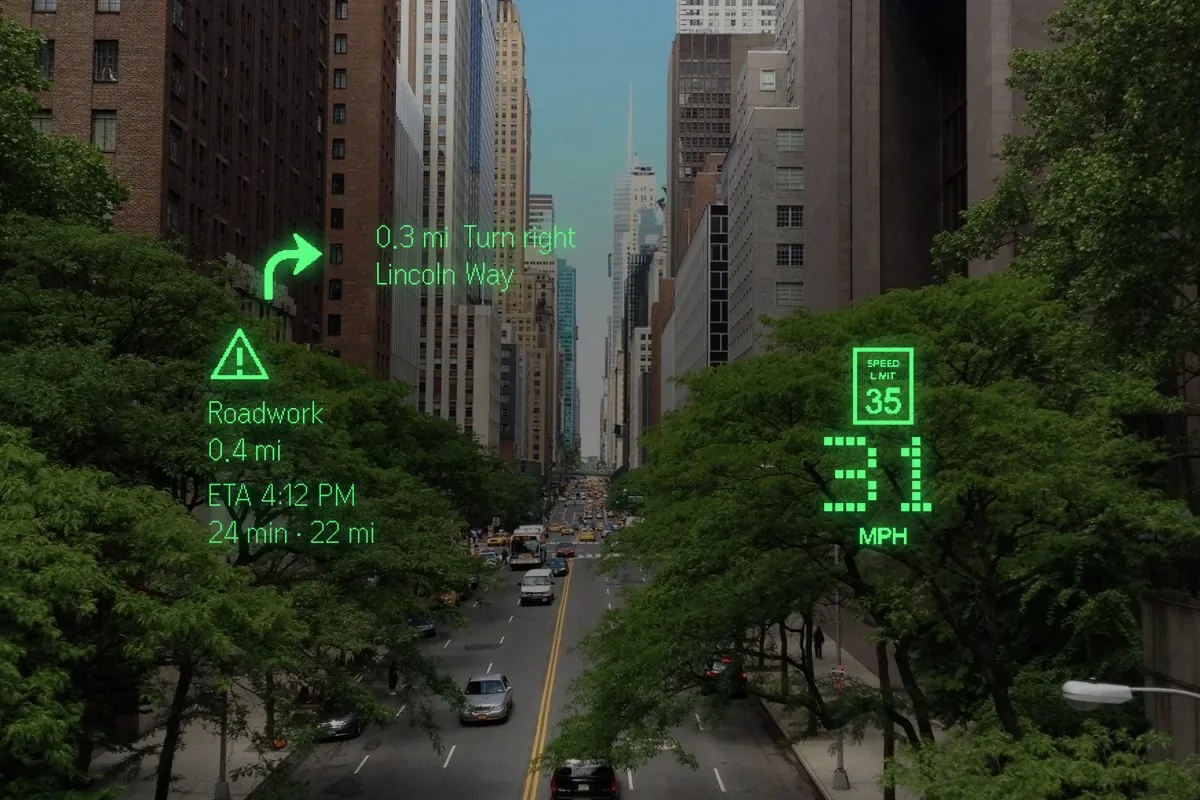
A city avenue. The turn onto Lincoln Way is 0.3 mi out, and a roadwork report 0.4 mi ahead has dropped into the empty space. Live reports like that arrive with Pro, or with your own key.
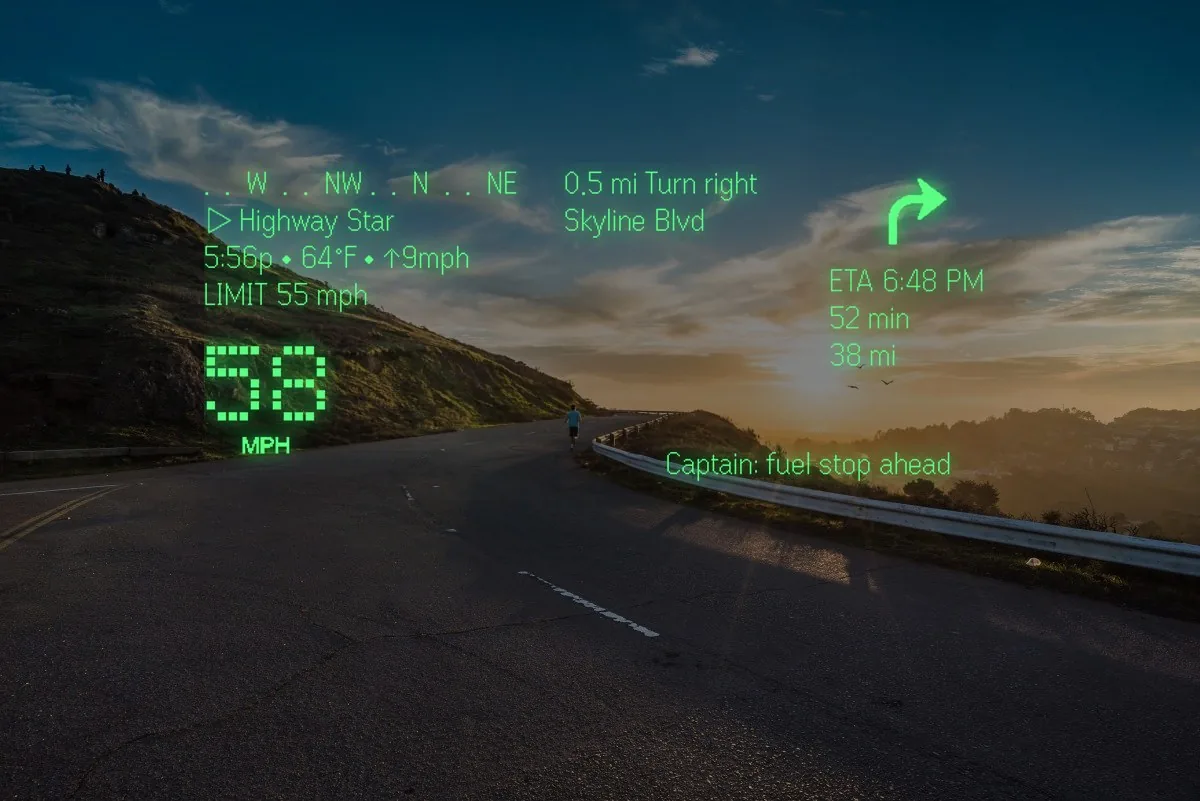
A coast road at sunset. Compass ribbon, the posted 55 beside your 58, Skyline Blvd in half a mile, and a line from the group ride: fuel stop ahead. Built with a rider.
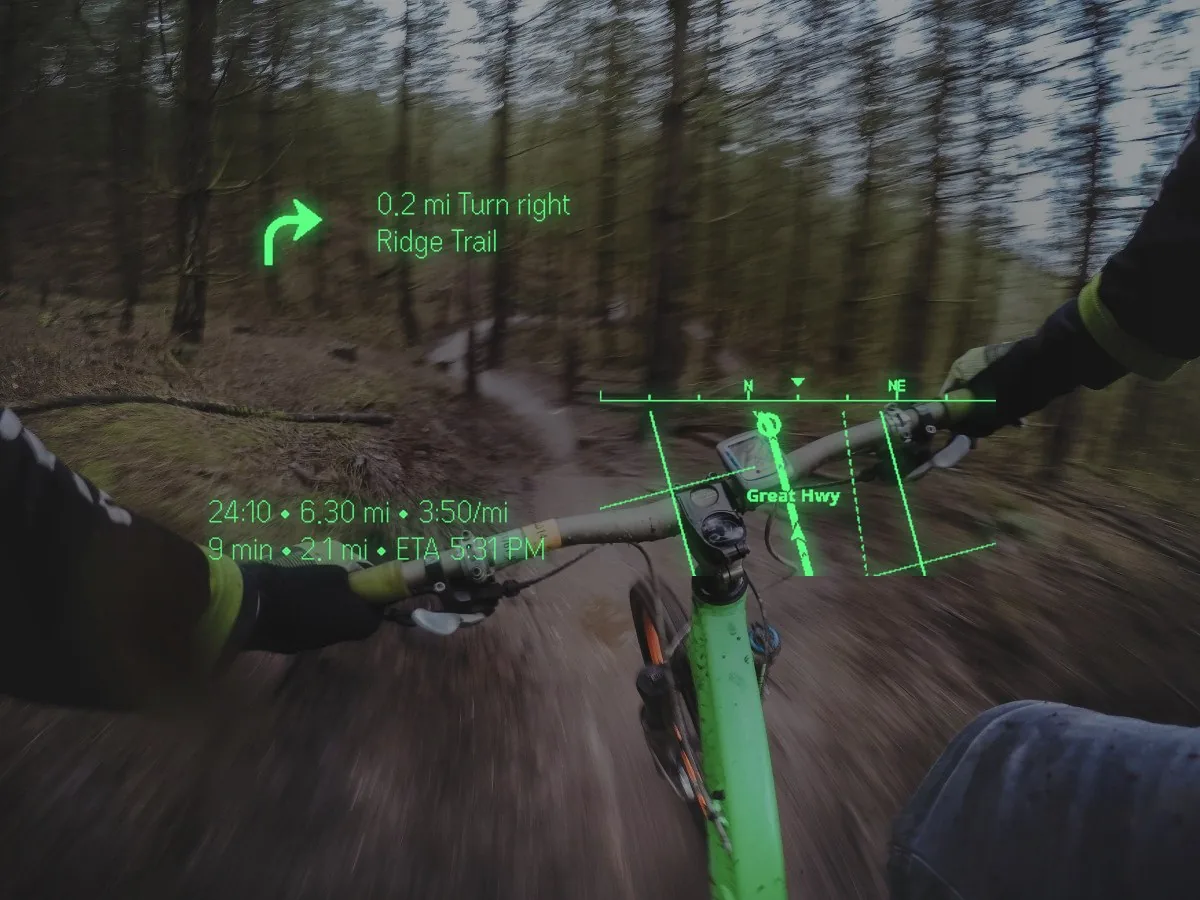
Handlebars on a forest trail. Ridge Trail in 0.2 mi, your time, distance and pace so far, the mini-map with your heading, and the ride logged as a workout when you want it.
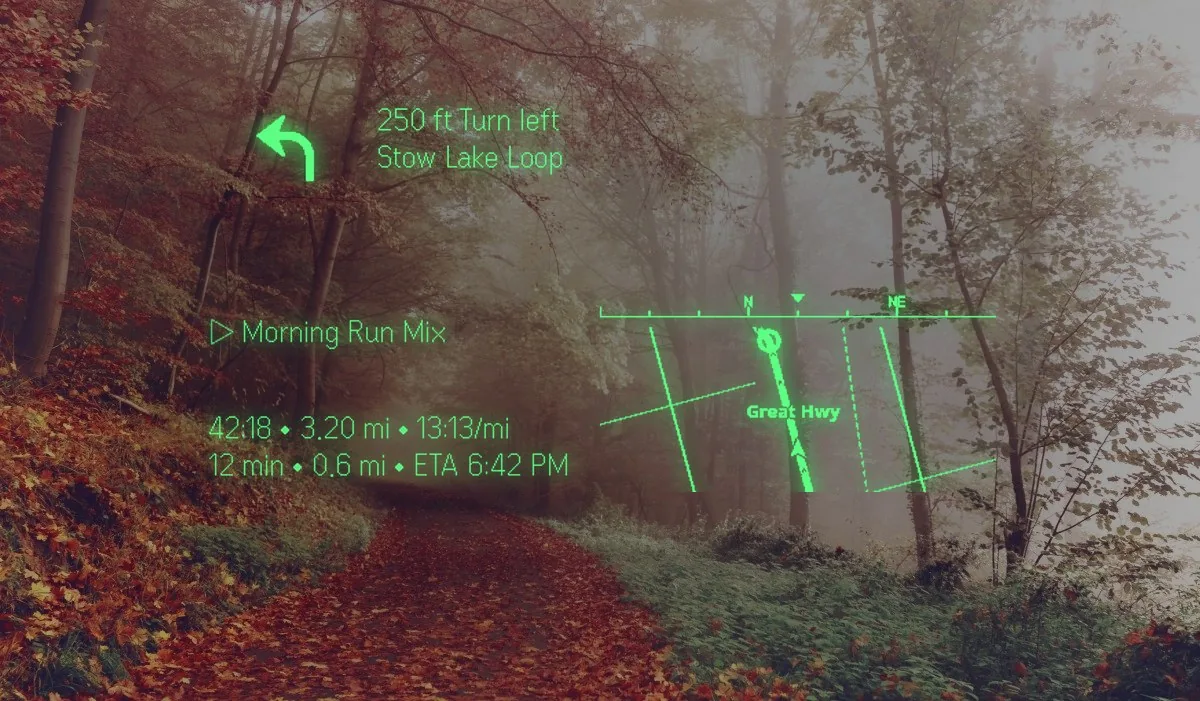
A park path in the fog. Stow Lake Loop turns left in 250 ft, the run so far sits under it, and the walk is tracked if you ask it to be.
Every lens line is a real capture from the glasses, laid over a real road at the size you see it. Not a render.
Speed and limits
Both are large enough to read in a glance, and Navigaze warns you when you cross the limit. Free, the limits come from OpenStreetMap wherever the road is mapped. With Pro — or your own key — they are estimated from commercial road data, fetched along the route in advance so they are already there when the road changes. Every limit shown is an estimate: always obey the posted signs.
Six modes
Pick the mode for the trip and the whole display changes with it — the layout, the routing and what gets a spoken warning.
Road guidance with speed, limits, ETA, lanes and alerts.
MotoHUD: compact, road-first, designed for quick glances.
Bike routing, pace, compass and workout stats.
Walking directions, route history and tracked walks.
Nearby departures, walking legs, stops and arrival time — with shared bikes and scooters pinned alongside on Pro.
Speed alone, when you want the quietest possible lens.
Road alerts
Speed and red-light camera locations published by public agencies and open-data programmes across the US, Canada, the UK, Australia, Hong Kong and Singapore — 35 feeds — with a live layer of reports from everyone else using Navigaze. Passengers can report and confirm alerts in one tap.
Cameras and community reports are free. Live community reports of jams, hazards and closures arrive with Pro, or with your own key. Camera and police alerts have their own switch in Settings — off by default from version 1.11.262 — and our servers withhold community reports of police and cameras in countries where the law forbids them.
Reports carry a random ID, not your name, and nearby-driver presence is delayed on purpose. Alerts can be wrong, late or missing.
Transit and shared bikes
Transit mode shows nearby departures and walking legs, and pins shared bikes and scooters next to the stops. Tap one for the operator, how many are left and how many docks are free at the other end. Tap Got it and Navigaze switches to Bike mode and re-routes to the same place.
See the coverage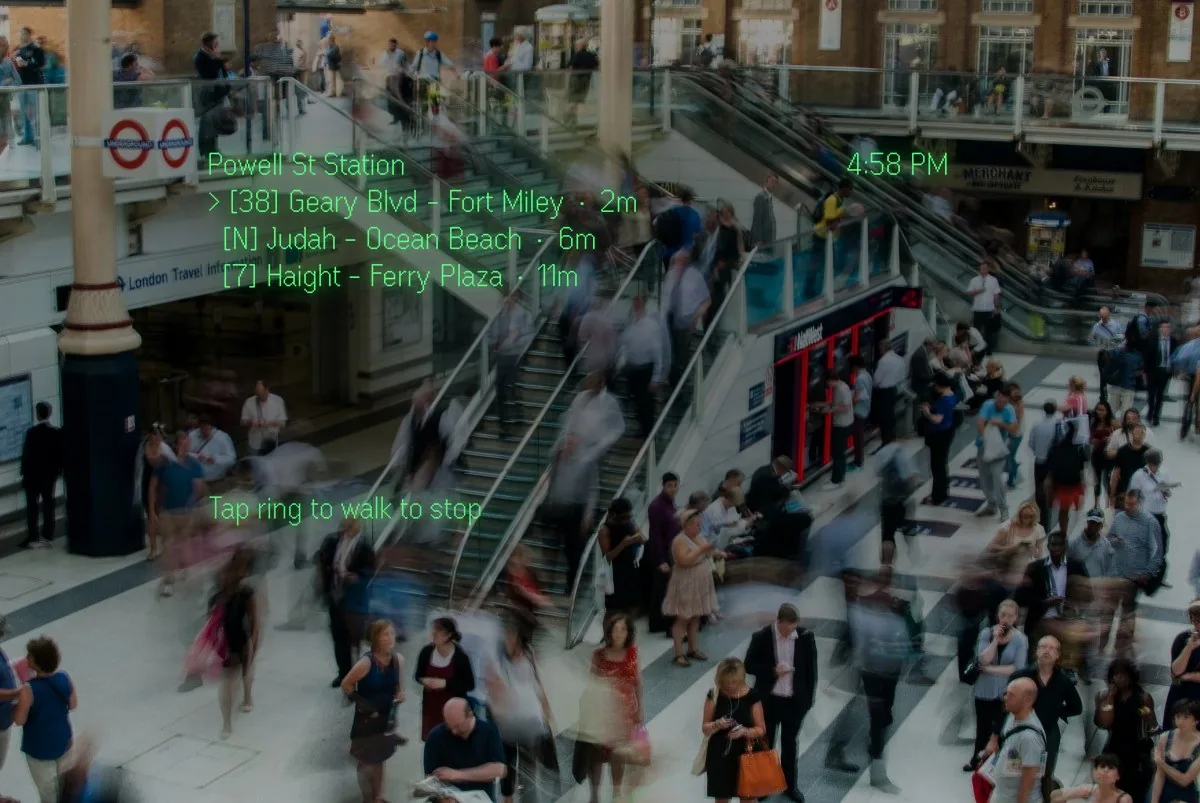
A station concourse. The next three departures from Powell St, soonest first, and one ring tap walks you to the stop.
What it costs
Pro buys the paid data behind it — live traffic and speed limits from commercial road data — not a feature you were locked out of.
Three days free, then $4.99 a month or $49.99 a year until you cancel. Cancel in PayPal. Full refund within 14 days of your first charge. Start it in the app.
Rather not subscribe? Navigaze takes your own API key instead, in Settings. It stays on your phone and is sent only to the provider it belongs to.
Straight answers
There is no account and no profile. Your places, routes, workouts and settings live on the phone; community reports carry a random ID, not your name. What leaves the phone, and why, is set out in the privacy policy.
Searches and speed-limit lookups pass through our server to reach map providers. Pro backs up your saved places so you can restore them — switch it off any time. We never sell your data, show ads or use third-party trackers.
It reads the road out to you; the judgement stays yours. Some places restrict head-up displays or alert features while driving — Navigaze tells you, and you must follow local law.
After you have G2
Navigaze installs from Even Hub in a few seconds and works before you have set anything up.